PERFORMANCE ANALYTICS FOR GOVERNMENT AGENCIES
Real-Time Insights That Drive Better Service
Measure what matters. Track KPIs, reveal bottlenecks, and improve workflows with analytics designed for government.

Real-Time Analytics for Performance
React quickly with real-time access to workflow data as transactions occur. Track performance metrics across your digital processes to reveal trends, pinpoint bottlenecks, and improve overall service outcomes for your agency.

Custom Visualizations & KPI Dashboards
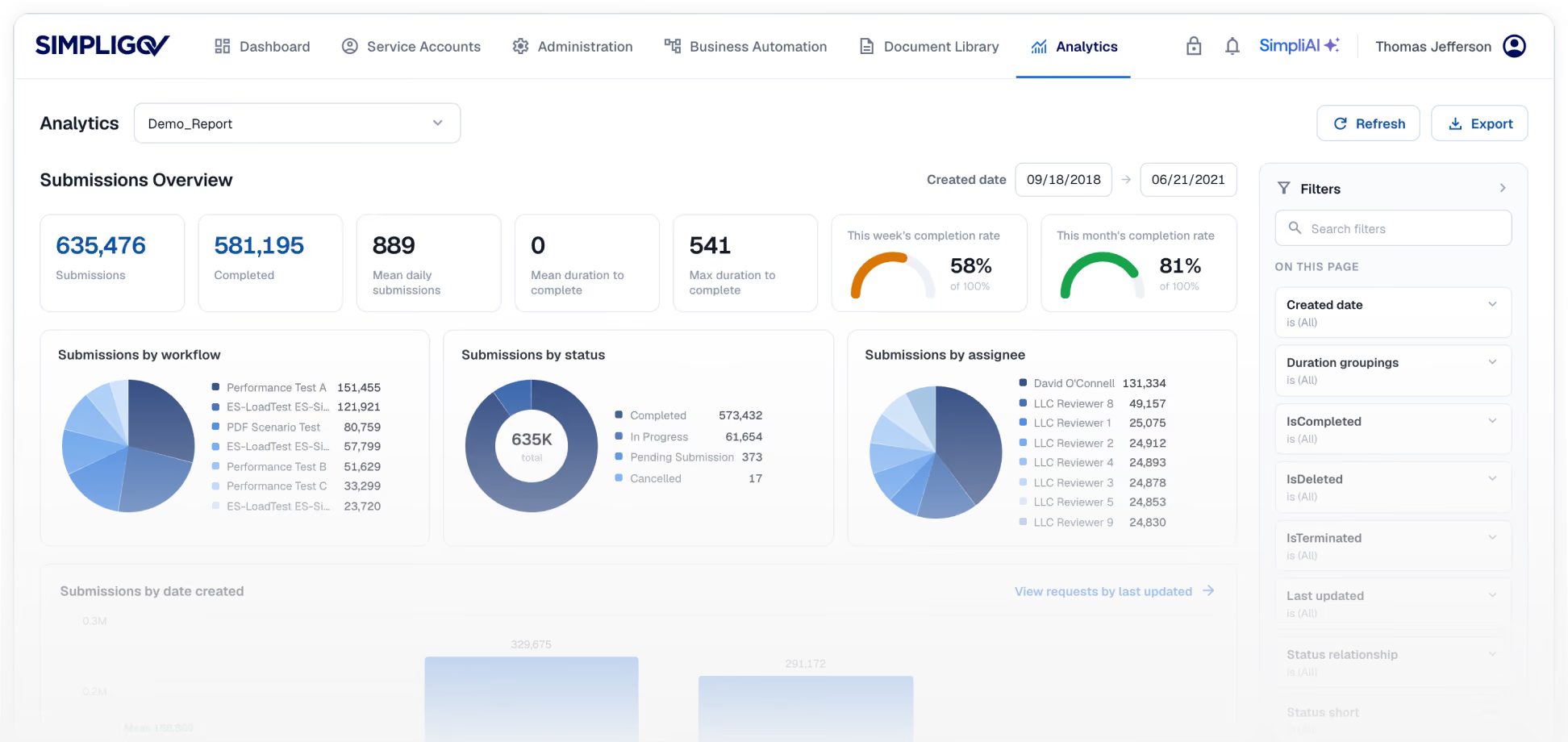
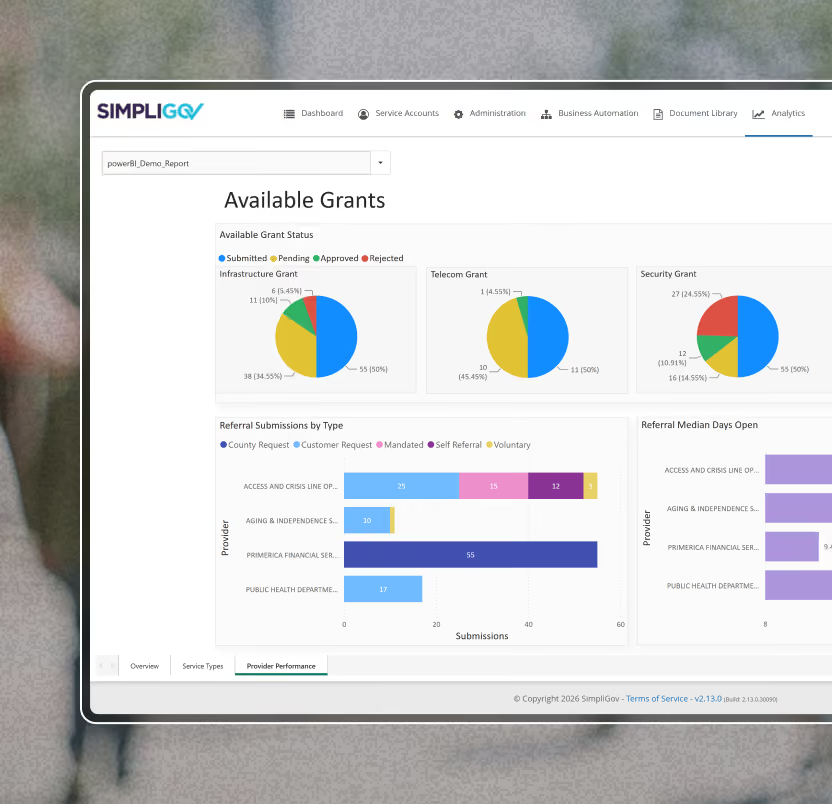
Explore workflow performance through customizable dashboards and reports. Use charts, pivot tables, and KPI metrics to compare trends, monitor activity, and support data-driven decisions across every level of your agency.

Integrated Systems & Workflow Insights
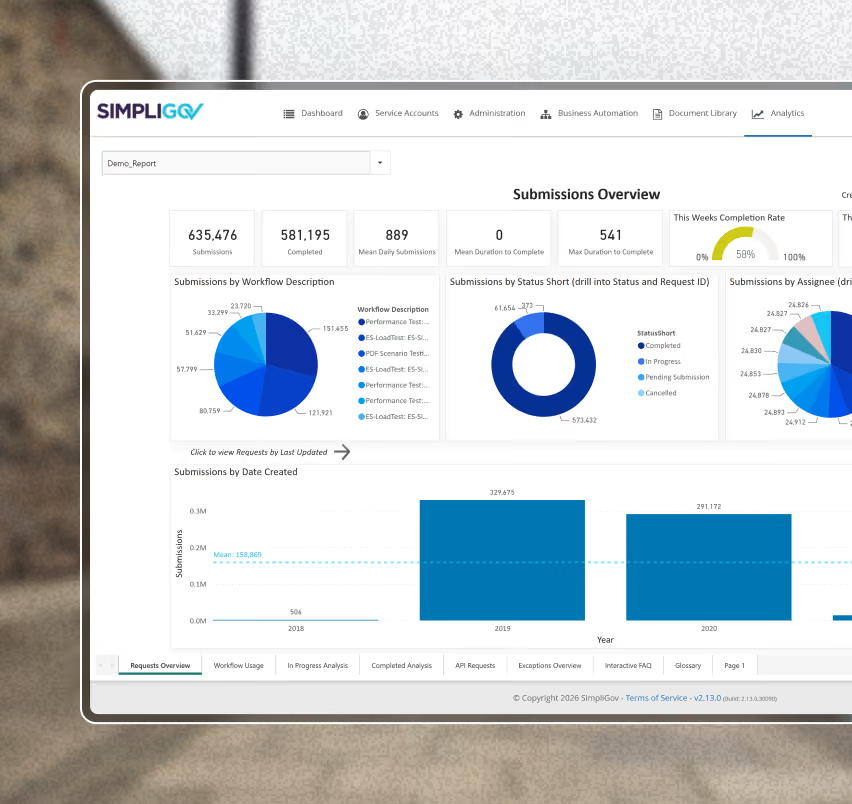
Integrate workflow data with internal reporting tools or BI platforms like Power BI, or access metrics through SimpliGov APIs. Gain unified visibility into performance trends and workflow behavior across interconnected systems.
Maximize Workflow Data Value Across Government
Get real-time visibility into your live transactional data.
SimpliGov workflow dashboards provide real-time access to workflow, form, and electronic signature data. Users can create custom filters for quick access to the data views they commonly use. The ability to see all transactions by priority helps users work more efficiently, and with greater accountability.
Customize our standard reporting or design your own reports.
Reporting on your data should have no limits. It’s your data and your preference how you want to see it. View your data in multiple formats including tables, charts, pivot tables, and more. Export your report data into multiple document types. You name it, SimpliGov can create it!
Insightful KPI Dashboards ensure fast decision making.
Enhanced visualization tools present data in live KPI dashboards that provide transparency for decision-makers. Gain insights into workflow status, utilization, overdue tasks, or any other relevant metrics.
Integrate your data with your internal systems.
Integrate with your internal Business Intelligence suites, such as Microsoft Power BI, or use SimpliGov’s data APIs to download your data on a scheduled basis. Gain greater insights for making data-driven decisions. Identify successful initiatives and areas for further improvement, measure historical trends, and gain greater understanding of constituent behavior and preferences. Keep management updated with auto-delivery of reports directly to their inboxes.
Frequently Asked Questions
How do digital reporting and analytics tools help government agencies work more efficiently?
Modern reporting and analytics tools eliminate the need to manually search records or compile information across programs. Agencies can filter data, generate reports, and access insights instantly—saving hours or days previously spent combing through paper files or spreadsheets.
What types of government data can be analyzed with advanced reporting tools?
Agencies can view data by any field or category—such as employee records, MOUs, contract codes, grant activity, or program submissions. Reports can be filtered by date, department, demographics, or any variable captured in digital forms.
How can agencies track changes or program evolution over time?
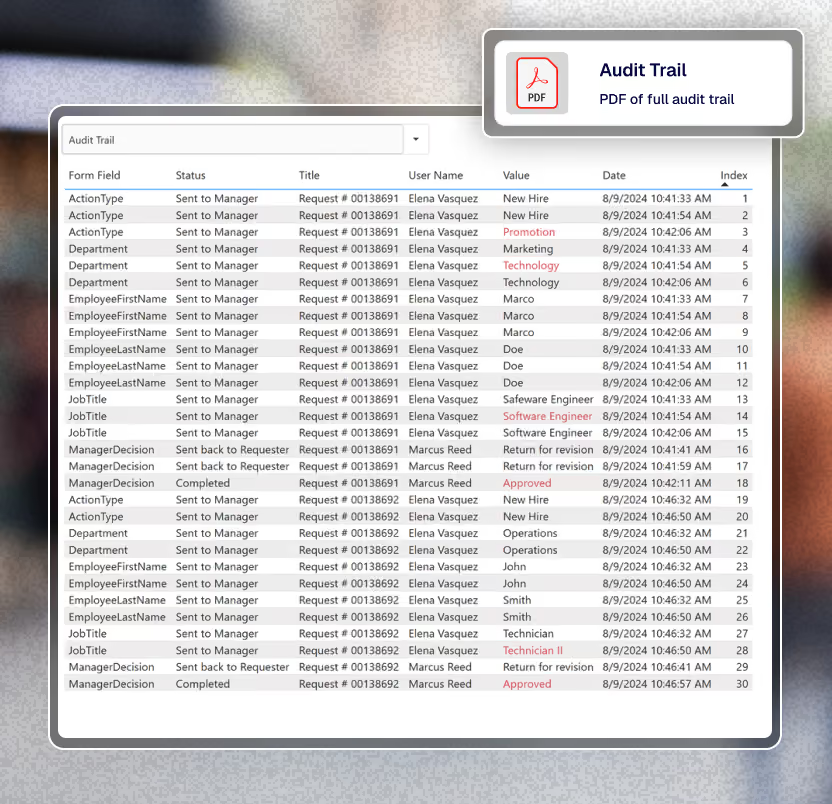
Audit trails and change-tracking features allow users to see every update made to a field or record. This helps agencies identify who made decisions, when edits occurred, and how program activity evolved—supporting audits, reviews, and compliance.
Can government workflows be integrated with tools like Excel or Power BI?
Yes. Digital workflow platforms can import CSV or spreadsheet data to populate forms and generate reports. Agencies can also use BI tools like Power BI for snapshots in time or set automatic refreshes to keep reports continuously up to date.
How do reporting tools reduce reliance on spreadsheets?
Instead of manually updating spreadsheets, agencies can transform spreadsheet data into visual dashboards, charts, or pivot views. This reduces human error, improves clarity, and allows teams to analyze trends across categories, activities, or service areas.
How can agencies evaluate the performance of their workflow automation platform?
Reporting helps IT and leadership teams assess which workflows are most active, which are underused, and how effectively each department is leveraging digital services. Users can also view how long workflows take to build, how often they’re updated, and where optimization is needed.
What demographic insights can government agencies uncover using analytics?
Agencies can analyze program participation by zip code, neighborhood, race, ethnicity, gender, and more. These insights help assess grant distribution, identify equity gaps, and understand which communities rely most on certain services.
How do analytics support process improvement in government operations?
Performance analytics helps agencies pinpoint issues such as missing documentation, mismatched data, spikes in rejections, or errors introduced by new instructions. Identifying these patterns allows teams to correct problems quickly rather than waiting for monthly or quarterly reviews.
What is the overall impact of advanced reporting and analytics on government service delivery?
Analytics provide real-time visibility into constituent engagement, program performance, and operational workflows. This enables agencies to resolve problems faster, improve transparency, enhance efficiency, and make data-driven decisions that benefit the public.